

A polished dashboard can make almost any ERP look like the obvious winner. Then the finance team discovers payroll is an add-on, the warehouse needs custom logic, or the implementation estimate assumes perfectly clean data. None of those surprises shows up in a top-ten list. This guide compares seven widely considered ERP options in Australia and gives business owners, CFOs and operations teams a fair way to choose. You will see who each platform may suit, which Australian requirements need independent verification, how to compare full project costs, and a demo test that separates a working process from a feature promise.
For an honest best ERP software Australia decision, bring one real workflow, one exception case and a shortlist of questions every vendor must answer.
The best ERP software Australia businesses can choose depends on proven workflow fit, local implementation support, Australian tax and security requirements, integrations, and total ownership cost. Compare Business Central, MYOB Acumatica, ERPNext, Odoo, SAP Business One, NetSuite and Pronto Xi using the same real-world test before making a decision.
What is the best ERP software in Australia?
There is no universal winner. A manufacturer planning production and materials needs a different system from a professional services firm billing projects or a group consolidating several entities. The best ERP software Australia shortlist is the one that proves your workflows, handles relevant Australian requirements and can be delivered within an honest whole-of-life budget.
The best ERP software Australia buyers shortlist must be able to show the full trail from the first transaction to the management report, including corrections.
This comparison looks at seven established options. It is not a paid ranking and it does not score products on undocumented performance claims. We compare public vendor positioning, likely fit, trade-offs and the questions an Australian buyer should verify directly. No vendor is assumed to provide local payroll, complete GST configuration or a particular integration without a product-specific demonstration.
Before declaring any product the best ERP software Australia option, check who will maintain local tax settings, integrations and user permissions after go-live.
For finance-led businesses familiar with Microsoft, examine Business Central. For Australian mid-market accounting, projects and payroll requirements, investigate MYOB Acumatica. For modular/open-source or manufacturing workflows, consider ERPNext and Odoo. For smaller integrated companies, assess SAP Business One. For international subsidiaries and consolidation, examine NetSuite; for mature Australian distribution and manufacturing contexts, include Pronto Xi where relevant.
Seven ERP platforms Australian buyers commonly evaluate
These are conditional fits, not endorsements or claims that a product will work out of the box. Platform packaging, licensing, module availability and local support can change. Confirm current products and terms with the vendor and delivery partner.
The best ERP software Australia comparisons make editions explicit: two quotes bearing the same product name may include quite different modules and support.
| ERP platform | Worth evaluating for | Questions / limitations to verify |
|---|---|---|
| Microsoft Dynamics 365 Business Central | Finance, purchasing, sales and inventory where a business already relies on Microsoft tools. | Check manufacturing/service edition, payroll partner, integrations, permissions and total licence mix. |
| MYOB Acumatica | Australian and New Zealand mid-market organisations needing accounting, projects, inventory and local workforce processes. | Confirm modules and the proposed Australian payroll and tax workflow, industry fit and partner scope. |
| ERPNext | Businesses wanting a configurable, open-source suite spanning finance, purchasing, inventory, manufacturing and projects. | Assess hosting, implementation expertise, localisation, payroll interfaces, upgrades and support model. |
| Odoo | Modular businesses combining CRM, sales, stock, purchasing and other apps with a flexible process design. | Clarify which features and integrations require paid editions, localisation or a partner. |
| SAP Business One | Smaller companies seeking connected finance, purchasing, stock, sales and reporting. | Check deployment, add-ons, regional payroll needs, costs and local support. |
| Oracle NetSuite | Growing multi-entity businesses with consolidation and international reporting requirements. | Confirm local payroll arrangements, integration scope, subscription terms and implementation cost. |
| Pronto Xi | Established Australian operations evaluating distribution, manufacturing, asset-intensive processes or complex workflows. | Check industry modules, project scope, release roadmap, licensing and support footprint. |
Use a written evidence column when comparing the best ERP software Australia vendors propose: demonstrated, documented, partner-dependent or not yet confirmed.
The vendors themselves provide useful starting points: Microsoft's Australian Business Central pricing, the MYOB Acumatica platform description, official ERPNext modules, and SAP Business One capabilities. Their descriptions establish advertised product scope, not the success of a particular deployment.
Best ERP software Australia by business situation
A useful comparison begins with how work happens in your business, not the size of the vendor logo. These examples show which questions shape a sensible shortlist.
The best ERP software Australia organisations use for distribution should handle stock discrepancies, partial deliveries and returns without creating disconnected manual spreadsheets.
Test multi-location stock, back-orders, purchasing, landed costs, lot or serial tracing and returns.
Check bills of materials, work orders, capacity, quality, purchasing demand and traceability.
Focus on project budgets, timesheets, billing rules, client approvals and margin reporting.
Evaluate intercompany flows, currencies, consolidation and role segregation before scaling.
Test stock synchronisation, channels, POS, refunds, fulfilment and financial reconciliation.
Check maintenance, serialised assets, supplier services and accounting hand-offs.
For the best ERP software Australia fit in project-based work, test variations such as milestone billing, timesheet corrections and revised client approvals.
For deeper operational scenarios, see our manufacturing ERP guide and ERP accounting software guide. A platform with impressive general features may still need significant development to handle the one process your team uses every day.
A fair comparison must separate five different costs
ERP pricing pages often describe a licence. Buyers need to evaluate the programme. A low recurring fee is not a saving if data conversion, integration and ongoing changes cost more than expected.
In any best ERP software Australia cost comparison, ask for three-year figures that include implementation, support, user growth and the cost of replacing an integration.
| Cost type | Typical inclusions | What to ask |
|---|---|---|
| Subscription or licences | Full users, limited-access users, modules, cloud services | What is billed annually, in which currency, and ex/incl GST? |
| Implementation | Discovery, design, configuration, project management | What is fixed, estimated or excluded? Who approves changes? |
| Data and integrations | Cleansing, migration, connecting payroll/POS/ecommerce | Who owns mapping, reconciliation and ongoing connector support? |
| Training and internal effort | User testing, materials, acceptance, process redesign | How much staff time has been allowed and who covers backfill? |
| Ongoing ownership | Support, security, hosting, extensions, upgrades, exit | How do costs change over three to five years? |
As one verifiable price example, Microsoft's Australian public list currently shows Business Central Essentials at AU$119.70 per user per month, paid annually and excluding GST, while Premium is AU$164.60. These are vendor list rates, not the cost of a finished implementation or a forecast for other products. The official Microsoft pricing page is the right place to recheck them before publishing a budget.
The best ERP software Australia buyers can afford is not always the platform with the lowest subscription; it is the one whose complete delivery cost is understood.
The common ERP demo test that exposes the difference
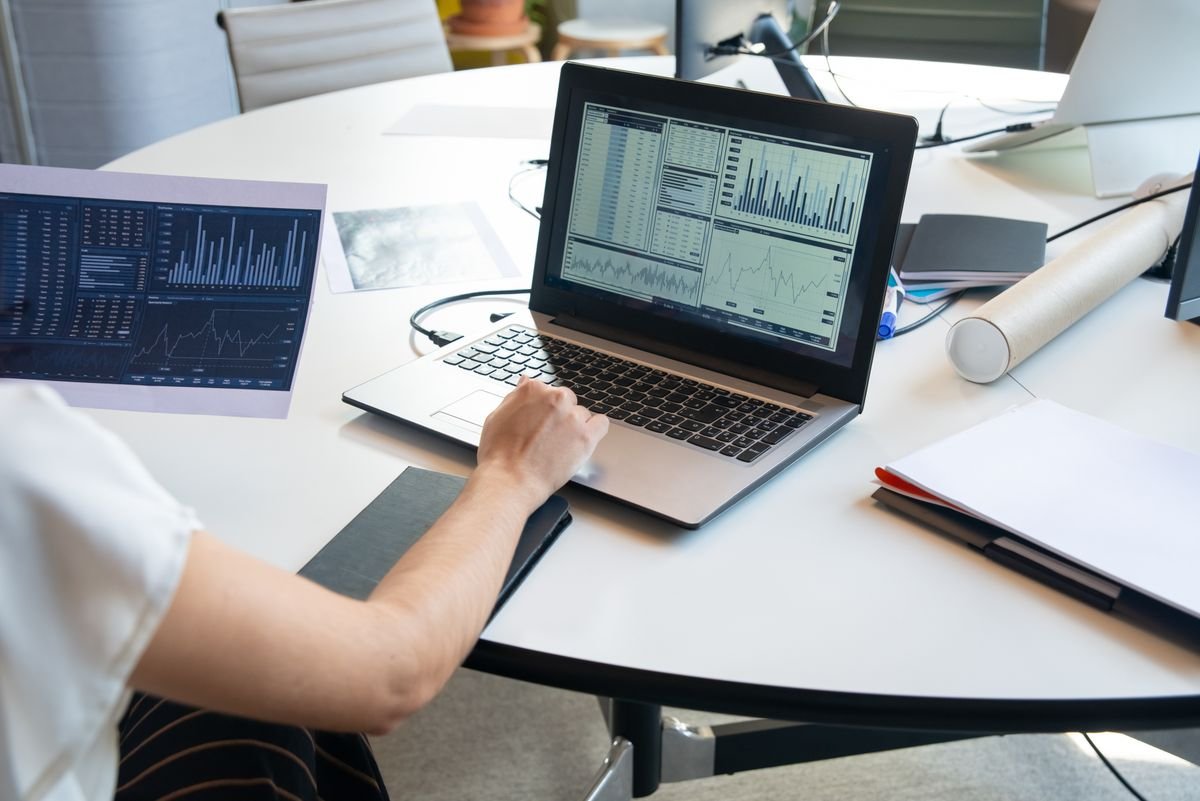
Every vendor can show a clean dashboard. A fair shortlist requires each candidate to demonstrate a real workflow with the same starting data. Use a scenario that crosses sales, inventory and finance, or project delivery and billing if that is your main business.
A test of the best ERP software Australia suppliers present should include at least one failed approval, returned item or incorrect invoice, not only a perfect transaction.
Prepare one real process
Use anonymised products, customers, approval limits, locations and tax examples.
Introduce a real exception
Request a partial shipment, credit hold, changed order or invoice correction.
Ask for the accounting result
Check how the stock movement or project cost affects financial records, not just an operational view.
Test permissions and the audit trail
Have the supplier show who can approve, edit, reverse and review each transaction.
Record evidence and dependencies
Label each task demonstrated, needs configuration, needs a third-party tool or unproven.
Ask the delivery team to explain each workaround: the best ERP software Australia demonstration makes limitations visible before the contract is signed.
If the nominated implementation partner cannot demonstrate the normal exception case without a product specialist stepping in, ask how that gap will be closed before you sign. The implementation team matters as much as the feature list.
How to score the best ERP software for your business
Here is an illustrative model a finance and operations team can adapt. Weight the factors before vendors present. A pass/fail safety or regulatory condition should override any final score.
To choose the best ERP software Australia teams can maintain, require named owners for migration, ongoing system administration and support escalation.
| Factor | Suggested weight | Required evidence |
|---|---|---|
| End-to-end workflow fit | 30% | Live demonstration using your real process and exception cases |
| Delivery team and change plan | 20% | Scope document, named roles, timeline assumptions and migration approach |
| Whole-of-life commercial cost | 20% | Three-to-five-year licence, build, training, support and change estimate |
| Australia-specific requirements | 15% | Documented GST/tax handling, payroll interface and privacy/security response |
| Usability and support | 15% | User testing, operational support, upgrade policy and exit access |
Score each factor from 1 to 5, multiply by the assigned weight and record the evidence. The winning option is the one with a workable delivery plan and fewest unresolved critical risks, not necessarily the one with the highest marketing feature count.
Even the best ERP software Australia scorecard is misleading if a mandatory payroll, security or statutory-reporting requirement fails its pass-or-fail test.
Australian ERP compliance: important buyer checks
Treat claims about local compliance as questions, not assumptions. A global ERP may provide powerful finance and stock functionality while still requiring configuration or third-party software for an Australian business’s tax, payroll, superannuation or eInvoicing processes.
A claim to offer the best ERP software Australia compliance needs should be supported by a working GST example, a privacy response and a documented payroll arrangement.
- Tax and reporting: demonstrate GST treatment, BAS reporting inputs and reconciliations with transactions your accountant recognises.
- Payroll and STP: establish whether payroll is native, integrated or out of scope, and which party updates it when requirements change.
- eInvoicing: check whether a Peppol-enabled service is available and configured. The ATO eInvoicing Ready register provides a starting point for checking products.
- Privacy and data: review access to customer and staff records, subprocessors, cross-border handling and export/retention obligations. Read the OAIC guidance as relevant to your business.
- Security: require MFA, appropriate permissions, timely updates, documented backup/restore and tested incident processes. The Australian Cyber Security Centre handbook explains key controls.
The best ERP software Australia deployment for sensitive records must also demonstrate role-based access, backup recovery and a credible way to export data.
Check that your preferred consultant has defined which party is responsible for each item. Software functionality and contractual accountability are different questions.
Five expensive ERP shortlist mistakes to avoid
- Choosing a platform on appearance: a clean dashboard does not prove operational fit or cost.
- Comparing different scopes: quotes may include different amounts of migration, training, integration and support.
- Accepting a scripted happy path: demand real exceptions, authorisation and reversals.
- Underestimating change: poor master data and unclear process owners travel with you into new software.
- Assuming AI is automatically reliable: review auditability, human approvals and data quality before automating financial or stock decisions.
If your problem is primarily one broken hand-off, a full ERP replacement may not be necessary. Consider whether targeted ERP workflow automation or selective ERP customisation is enough. If multiple processes are failing at once, structured ERP implementation planning becomes more important.
Buyers searching for the best ERP software Australia has to offer should insist that every vendor prices the same project scope before comparing totals.
Buying the best ERP software Australia vendors can offer also means asking who owns ongoing fixes when a payroll connector or stock interface fails.
Create a realistic Australian ERP shortlist in one week
You do not need to spend months collecting glossy brochures. A focused week can help identify whether a shortlist is credible; final procurement and implementation need more due diligence.
The most useful best ERP software Australia shortlist usually starts with three credible candidates and one demanding process test rather than dozens of product brochures.
Day 1: define the business outcomes
Get finance, operations and a frontline user to identify the top three problems and the non-negotiable requirements.
Day 2: decide what belongs in scope
List entities, warehouses, integrations, required modules and the records that must migrate.
Day 3: narrow platforms by proven use case
Use vendor documentation and local partner evidence to cut the list to three suitable candidates.
Days 4–5: run matched demonstrations
Make each team perform the same order-to-cash or project-to-invoice scenario, including one exception.
Days 6–7: score and request matched proposals
Score evidence, document unknowns and request estimates using exactly the same boundary and support expectations.
A final best ERP software Australia recommendation should list unresolved questions beside each option so directors can see what remains unproven.
Keep the shortlist to a manageable number of products, each with a named implementation approach and open questions. A longer list without evidence is not better market research.
Best ERP software Australia: common buyer questions
What is the best ERP software Australia has for small businesses?
There is no single best option. Small companies should compare their finance, stock, project and integration needs with actual product demonstrations and local support. A lightweight accounting stack may sometimes be a better first step.
These answers help narrow a best ERP software Australia search, but the final selection still depends on a demonstration of your actual transactions and local obligations.
For a fair best ERP software Australia review, have a frontline user as well as a director attend the demonstration and record what each cannot do.
Is ERPNext suitable for Australian businesses?
ERPNext offers finance, stock, purchasing, projects and manufacturing modules. Suitability in Australia depends on the proposed configuration, tax and payroll approach, integration needs, hosting and available implementation support.
Is Business Central or NetSuite better?
Business Central may appeal to Microsoft-centric organisations; NetSuite may suit certain multi-entity and international reporting requirements. Compare the proposed solution, not just the product names.
Does every ERP include Australian payroll and BAS support?
No. Coverage varies by product, edition, localisation and integrations. Verify the exact GST/BAS and payroll solution to be delivered.
How much does ERP software cost in Australia?
Licence or subscription charges are only one component. Total cost also includes discovery, data migration, integrations, training, internal effort, support, upgrades and future changes.
What ERP software is suitable for manufacturing?
Look for demonstrated bills of materials, work orders, purchasing demand, inventory valuation, traceability and quality requirements. Test your own production scenarios rather than relying on generic capability badges.
Can an Australian business move ERP data to another provider later?
Often, but export rights, formats, historical audit records and third-party integrations vary. Put data portability and exit support in the contract before go-live.
Should Australian SMEs choose open-source or proprietary ERP?
Neither is automatically superior. Open source may increase configuration and hosting choices, while commercial platforms offer different licensing and support structures. Compare the full delivery and support model.
The best ERP software is the option you can prove
A sensible shortlist is built on verified workflows, people who will run the system and a delivery plan with clear responsibilities. Instead of asking who has the most features, ask which option can process your difficult transaction, withstand a correction and show the financial outcome.
The best ERP software Australia decision is defensible when finance and operations can point to clear tests, a support plan and a realistic ownership budget.
Before signing for the best ERP software Australia candidate, request a written exit and data-export process so the business retains practical choices later.
For businesses still deciding whether they need a complete ERP, start with our ERP fundamentals guide or the small-business ERP overview before comparing individual products.
Make the shortlist about your business.
Share a real process, your essential modules and the systems you already use. AI Powered ERP can help you frame an ERP discovery and implementation brief before anyone proposes a solution.
Discuss your ERP shortlist ↗This is educational comparison content, not a paid ranking, endorsement or a guarantee of local suitability.