

The hardest part of choosing manufacturing ERP software in Australia is not the feature list. It is knowing whether the system can reflect the messy, changing version of production that your operators and accounts team deal with each week. A product can appear complete in a sales presentation yet struggle when a component is substituted, a batch is held for inspection or a job consumes more material than planned.
This manufacturing ERP Australia guide is for owners, operations managers, production planners and finance teams comparing systems or preparing an implementation. It explains the connected workflows, seven practical vendor checks, a repeatable demonstration scenario, an evaluation scorecard and a staged rollout plan. It is a decision guide, not a claim that every factory needs the same software.
Manufacturing ERP is business software that connects product materials, purchasing, inventory, production orders, shop-floor activity, quality records and finance. A suitable system lets a manufacturer plan work, record what actually happened, identify shortages or rejected stock, trace relevant batches and understand the cost of finished goods. The best fit depends on production type, transaction detail and how reliably staff can use it.
Follow one production order before comparing software
Start with a real item that your business makes repeatedly. Trace it from customer demand through dispatch and the final finance posting. If any step depends on an undocumented spreadsheet, a phone call or someone remembering to update two systems, write it down. That hand-off is where a product demonstration should begin.
Demand and quotation
Identify the promised quantity, delivery date, price, product configuration and who may approve changes after the order is accepted.
Materials and purchasing
Check the current bill of materials, actual availability, reserved stock, incoming purchase orders, supplier lead times and inspection holds.
Production and quality
Follow each operation, machine or work centre, actual labour time, consumed materials, rejected output, rework and finished quantities.
Dispatch and finance
Confirm which finished units are available to promise, which were dispatched and how work in progress, material cost and sales are recorded.
Manufacturing workflows are connected for a reason. Microsoft’s manufacturing overview describes how BOMs, routings, production orders, output, inventory, scheduling and costing can work together in a production system. That is a useful reference for the questions to ask; it does not mean every vendor handles the transactions in the same way.
7 manufacturing ERP Australia planning checks that reveal real system fit
Use these seven tests in demonstrations and implementation workshops. Each exposes an operational risk that a polished dashboard may not show. The aim is evidence, not a longer software shopping list.
1. Can the system control BOM versions and approved substitutions?
A bill of materials (BOM) is the structured list of parts and quantities required to make a product. In a working factory, that list can change because an engineer approves a revised part, procurement substitutes an item or a customer orders a customised variation. A useful manufacturing ERP setup needs a clear version owner and a method for controlling which BOM applies to an active work order.
Ask the vendor to create a job using revision A, approve revision B and then show which jobs, purchase requests and stock reservations are affected. A system that simply overwrites the previous BOM may leave production staff unsure which design they were authorised to make. For custom manufacturers, also test nested or multi-level BOMs and units of measure such as metres, kilograms and individual components.
2. Can production planning distinguish available stock from committed stock?
For manufacturing ERP Australia buyers, material requirements planning (MRP) connects what needs to be built with the materials and timing needed to build it. The important distinction is between stock physically counted, stock reserved for other work, stock still in transit and stock on hold. A total of 200 units in the warehouse is not a promise that 200 units can be used today.
Build two competing orders that require the same component. Reserve material for the first, delay one supplier delivery and ask the system to recalculate the second job. Inspect the suggested purchase actions, revised start dates and any warnings. Manufacturing ERP Australia buyers should also ask how lead times, minimum order quantities and substitute parts are governed; incorrect planning settings can create misleading output even when the software is functioning as designed.
3. Does the shop-floor screen record actual work without slowing operators?
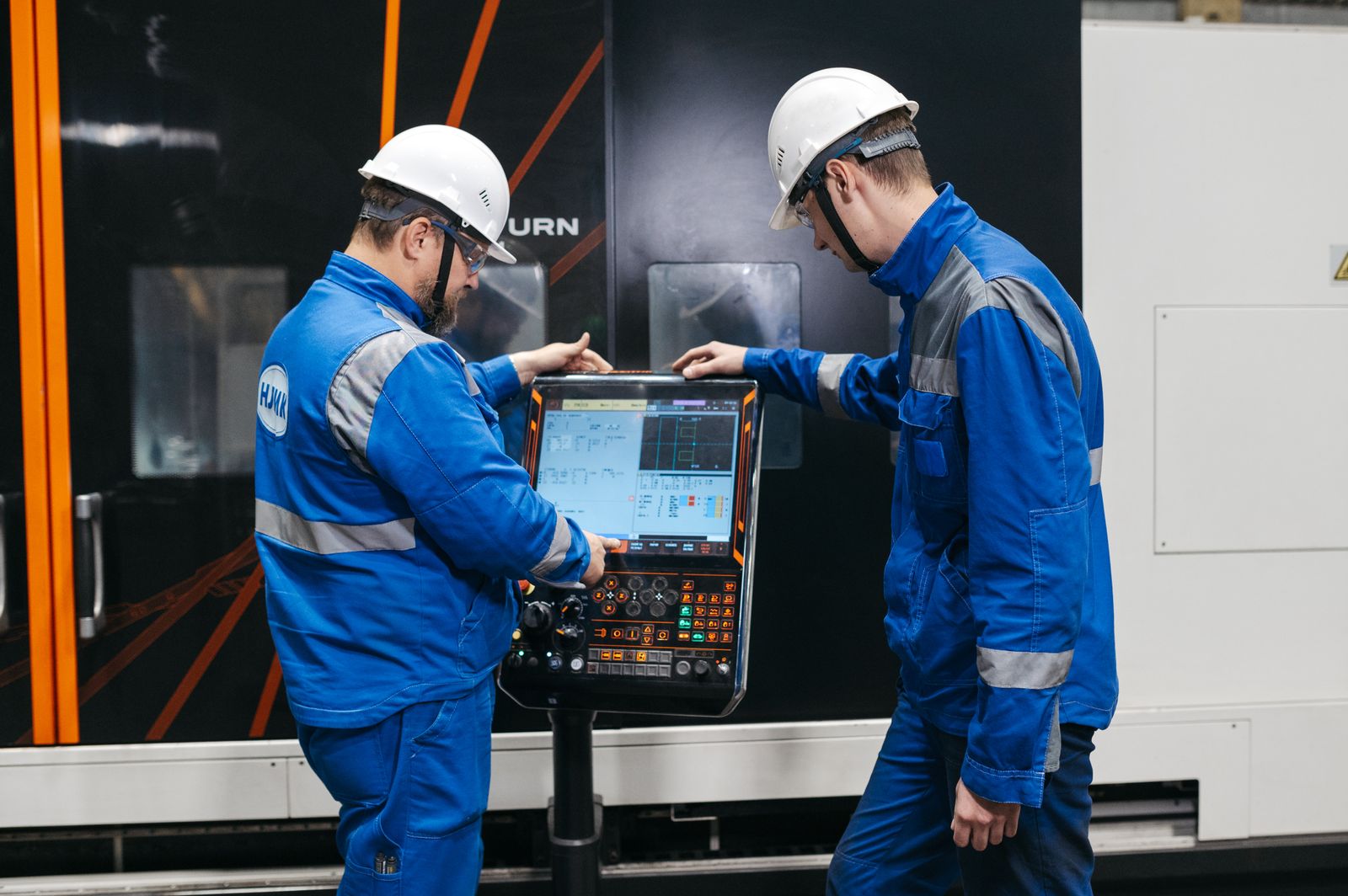
In an Australian manufacturing ERP project, shop-floor control is the practical method for recording what happens as work moves through stations, people and machines. The operator may need to start a job, pause it, scan material, report completed units or identify scrap. If the process takes several screens for a simple action, teams may defer entries until the end of a shift, reducing the value of live reporting.
Test the interface with the people who will use it, not only managers in the meeting room. Ask what happens when a device loses its connection, a shift changes or the wrong quantity is entered. Confirm that corrections leave a usable audit trail. Where a product offers both manual and automated transactions, understand when each method is appropriate rather than assuming automation removes responsibility for accurate records.
4. Are scrap, rework and quality holds linked to real costs?
Suppose a job is scheduled to produce 100 saleable units but five fail inspection. The system should not quietly record 100 good units. It should distinguish accepted, rejected and reworked quantities and show the effect on materials, additional labour, replacement production and stock availability. Different industries may need different inspection checkpoints and rules for who releases held material.
Ask to see the difference between repairing a rejected item and scrapping it completely. Then confirm that the finance team can recognise where the extra cost went. Do not accept a presentation where failed units disappear into a generic adjustment. This check often reveals whether quality control was designed into the operating process or added as an afterthought.
5. Can you trace components and finished goods at the right level?
Traceability in manufacturing ERP Australia means being able to connect source materials with the products made and, where required, the customers who received them. Some businesses need batch records, others serial numbers, and some need broader stock movement history. The correct level depends on the product, risks and applicable rules.
Test a supplier lot that was used across three production orders. Can the ERP show the affected finished batches, quantities on hand and dispatched customer orders? Can it separate quarantined items from saleable stock? The goal is not to collect every possible data point. It is to retain enough accurate evidence to make a timely, defensible decision when a problem appears.
6. Does production costing reconcile with the general ledger?
Quoted cost, expected cost and actual cost are different figures. Manufacturing ERP Australia evaluations should test how those figures are reconciled. A production order may use extra components, take longer than planned, incur outsourced work or finish with fewer saleable units. Those differences should be visible in the job and explainable in finance. Ask how the software handles labour and machine rates, work in progress (WIP), purchase price differences and month-end adjustments.
Bring a finance manager into the demonstration. Have them trace an extra material issue from the shop floor to stock and its resulting accounting entries. The system should support the business’s approved accounting method and reporting needs. A colourful margin chart is less useful than a reproducible reconciliation between source transactions and the ledger.
7. Can planners respond when a machine, supplier or priority changes?
A believable Australian manufacturing ERP plan must survive disruption. Create an urgent customer order, delay a key component and make one work centre unavailable. Ask which jobs are affected, whether capacity is recalculated, who can approve a priority change and what staff will actually see next. Do not confuse automatic scheduling with a guarantee that every constraint can be optimised.
The strongest demonstration connects the production promise to available materials, actual capacity and clear human decisions. If the vendor cannot explain its scheduling assumptions, the published plan may look convincing while being difficult to run. See the company’s manufacturing ERP solutions overview for a separate look at the manufacturing transaction lifecycle.
How BOM, MRP and job costing should fit together
Manufacturing ERP Australia decisions improve when the team agrees on three simple questions: what does this order need, what can we actually supply, and what did the finished output cost? Each question uses a different record, yet all three must agree well enough for the factory and finance team to make decisions.
Example: a component shortage that a stock total can hide
Imagine a hypothetical job for 100 finished units requiring two brackets per unit. The approved BOM calls for 200 brackets before any allowance for scrap. The system shows 230 brackets on site. However, 60 are reserved for another job and 20 are quarantined after inspection. Only 150 are currently available for this order, leaving a shortage of 50.
| Planning record | Illustrative quantity | Decision it supports |
|---|---|---|
| BOM need for 100 units | 200 brackets | Baseline material requirement |
| Physical stock on site | 230 brackets | What the warehouse counted |
| Reserved for another order | 60 brackets | Not free for this job |
| Quarantined after inspection | 20 brackets | Not yet approved for use |
| Available for this job | 150 brackets | 230 − 60 − 20 |
| Current shortage | 50 brackets | Purchase, substitute or reschedule |
Illustrative worked example for evaluation only; the figures are not Australian industry statistics or actual customer data.
This is why a single “stock on hand” figure can mislead a production meeting. It also shows why a planning tool needs agreed rules for allocation, inspection status and approved substitutes. If inventory is inaccurate at the start, the ERP cannot reliably fix the shortage simply by running another planning calculation.
What finance should see after production closes
Record the expected quantity, actual material consumed, operator time, accepted finished units, scrap, rework and any subcontract charges. Then show how the production order is closed and how remaining work in progress or variances are treated. Microsoft’s production-journal documentation provides a concrete example of recording consumption, output, time and scrap in connected manufacturing transactions.
An ERP discovery and implementation plan can map order, stock, production and finance hand-offs before a product decision locks them in.
Manufacturing ERP Australia: the 100-unit vendor demo
A manufacturing ERP Australia demonstration should not be a tour of menus. It is a controlled scenario in which the vendor shows the same transactions from start to finish. Give every shortlisted provider the scenario below and ask them to show the original record, changed record and resulting financial or stock effect. That makes the differences between products much easier to evaluate.
- Create a 100-unit production order. Use a BOM with two component types, an assigned work centre, an expected completion date and an estimated material and labour cost.
- Introduce a stock shortage. Reserve one component for a competing job and place another batch in quarantine. Ask for an updated requirement and realistic completion date.
- Approve a component substitution. Change to an authorised alternative and show the effect on the BOM revision, purchasing, required approvals and unit cost.
- Record actual work and an exception. Add extra material consumption, a paused operation and a quality check that rejects five units from the first run.
- Choose a rework outcome. Rework three units, scrap two, and show whether accepted output, stock, capacity usage and cost change correctly.
- Post one supplier credit. Connect the credit to the relevant purchase or cost record and ask finance to reconcile inventory, WIP and final job reporting.
- Trace and report. Identify the supplier lot, affected finished goods, remaining stock, customer-ready quantity, job variance and audit history.

Manufacturing ERP Australia selection scorecard
Use this manufacturing ERP Australia scorecard to rate each shortlisted solution against your real business priorities rather than a vendor’s feature count. A simple method is to grade a requirement from zero to three: zero means not demonstrated, one means possible with significant work, two means usable with manageable configuration and three means demonstrated using your test data. Keep the evidence and any qualifications beside the score.
| Criterion | What to ask the vendor to prove | Who should verify it |
|---|---|---|
| BOM and engineering changes | Revision approvals, multi-level materials and active-job impact | Engineering / production |
| MRP and inventory | Availability, reservations, holds, replenishment and shortage alerts | Planning / warehouse |
| Shop-floor execution | Practical operator input, pauses, reversals and offline procedures | Supervisors / operators |
| Quality and traceability | Inspection holds, rejected output and lot-to-customer history | Quality / compliance |
| Actual cost and finance | Material, labour, WIP, variance and ledger reconciliation | Finance |
| Integration and reporting | Required APIs, data ownership, permissions and exception handling | IT / operations |
| Delivery risk and support | Migration tests, training, pilot plan, ongoing support and exit data | Project sponsor |
Do not use equal weights without thinking. A food producer may place unusual importance on lot traceability and recall controls. A make-to-order engineering shop may care more about BOM changes, job costing and subcontract processes. A repetitive assembly line may focus on realistic capacity, operator speed and a clear connection between output and inventory.
Decide what belongs in the first release
Separate capabilities into essential for day one, valuable after stabilisation and unnecessary for the current business case. The first group should include any controls needed to keep production and finance accurate. The second can contain advanced planning, dashboards or additional automation. Record proposed customisation and ongoing maintenance before signing, because a low initial licence figure does not explain the whole implementation effort.
For a broader look at product selection outside the factory, compare the questions in ERP software options for Australian businesses. Keep this article focused on production-specific evidence rather than duplicating a general software comparison.
Manufacturing ERP Australia: records, traceability and business continuity
An Australian business reviewing manufacturing ERP Australia options should assess software against its actual industry obligations, trading practices, security needs and accountant-approved reporting requirements. No generic configuration is automatically compliant for every manufacturer. Use the following as prompts for due diligence, then verify the obligations that apply to your products and state or territory.
Food traceability and recall readiness where applicable
Food Standards Australia New Zealand explains that relevant food businesses should be able to track products and inputs through production and distribution. It lists traceability records such as supplier and customer details, dates, quantities and batch or lot identifiers. Its food traceability guidance is a primary reference for manufacturers in scope.
FSANZ also states that food manufacturers, importers and wholesale suppliers must have a written food recall plan under the applicable food standard. See its food recall requirements. An ERP may support records and lookups for a recall, but software alone is not a recall plan. People, procedures, testing and suitable records remain essential.
Protect production and finance data
Ask who can modify a BOM, issue stock, approve a supplier change, alter financial mappings or restore an incorrect entry. Require named roles, meaningful logging, multi-factor authentication where available, tested backups and a realistic process for working during an outage. The Australian Cyber Security Centre’s small business cyber security handbook recommends practical controls such as multi-factor authentication, timely updates and backup testing.
Also plan for data access if the software vendor changes, an integration fails or a key employee leaves. Check exportability, audit retention, support hours and who can recover a system after disruption. These concerns are not exciting demo features, but they can determine whether the factory can keep operating.
Account for local reporting and supplier conditions
Finance should verify how Australian transactions, tax settings, inventory valuation and reporting are configured for the business. Seek qualified advice for specific tax or accounting treatment instead of assuming a product's local label makes it correct. If a site buys imported components, make sure the process for freight, landed cost, supplier credits and exchange differences is understood before historical data is migrated.
Manufacturing ERP Australia implementation: start with a controlled pilot
A common mistake in manufacturing ERP Australia implementation is treating the work as a screen-building project. The business must agree how products, materials, orders, approvals, actual activity and finance records will be maintained. Start with one product family or production line that is meaningful enough to expose problems but small enough for a team to reconcile carefully.
Confirm process owners, product records, units, BOMs, stock locations, work centres and current reporting gaps.
Run representative jobs, failures, approvals, data imports, security controls and production-to-ledger reconciliations.
Train operators, measure corrections, check month-end results and only then expand to more products and sites.
Data decisions that need owners before the first import
- Product codes and units: one authoritative item master with clear conversions for packs, metres, kilograms and finished units.
- BOMs and revisions: named approvers, effective dates, substitute controls and a route for handling changes to open orders.
- Stock and valuation: reconciled opening balances, warehouse locations, rejected stock, reservations and approved finance treatment.
- People and permissions: separate access for operators, planners, procurement, quality, finance and administrators.
- Integration owners: named responsibility for barcode devices, ecommerce, accounting, maintenance or other external systems.
Define pilot success with evidence
Measure whether the pilot can complete real transactions without hidden spreadsheet corrections. Useful checks include the difference between physical and recorded stock, the percentage of jobs with complete material and time entries, how long it takes to identify an affected batch, whether production costs reconcile and how quickly the team resolves exceptions. Establish the baseline before deployment; a target without a baseline tells you very little.
If the pilot depends on routine manual workarounds or duplicate entry, pause expansion and decide whether the issue is process design, training, master data or software fit. The right moment to expand is when operators and finance can reproduce the results, not when a dashboard first looks complete.
Review the required manufacturing processes and discuss ERP configuration and customisation before accepting a large list of bespoke changes.
Manufacturing ERP Australia FAQs
What is the difference between ERP and MRP in manufacturing?
MRP focuses on calculating materials needed for production using demand, BOMs, stock and timing. Manufacturing ERP connects that planning with other processes such as purchasing, job execution, quality, inventory valuation and finance. The precise features vary by product and configuration.
Is manufacturing ERP worth it for a small Australian factory?
It can be worthwhile when production complexity, stock errors, delayed information or manual reconciliation cost more than the effort of implementing and operating the system. First document the current problem, its frequency and the measurable benefit you need.
Can manufacturing ERP track batch numbers and serial numbers?
Many products support lot, batch or serial tracking, but coverage differs. Demonstrate a real receipt-to-production-to-customer trace, including quarantined stock, returns and corrections, before treating the feature as suitable for your requirements.
How does manufacturing ERP calculate actual production cost?
Depending on configuration, it can combine recorded material consumption, labour or machine time, subcontract charges and defined overhead rules. Finance must confirm that production transactions, WIP and resulting accounting entries reconcile under the business's approved costing method.
Do manufacturers need barcode scanners to use ERP?
No. Scanners may make frequent stock and job transactions quicker or more consistent, but manual methods can be appropriate for smaller operations. Test both the hardware and the steps operators must complete, including offline or exception handling.
How long does a manufacturing ERP implementation take?
There is no dependable single duration. Scope, data quality, integrations, workflow differences, testing, training and team availability all affect the schedule. Request a phased plan tied to tested deliverables rather than a date alone.
What should be migrated first into manufacturing ERP?
Prioritise clean item masters, approved BOMs and revisions, units of measure, relevant supplier information, work centres, opening inventory balances and accounting mappings. Migrate historic detail only where it serves a clear operational, financial or regulatory purpose.
Bring one real production order. Leave with clearer ERP requirements.
Before choosing manufacturing ERP software, map your actual BOM, material movement, production exceptions and finance postings. A scoped conversation can clarify what must be standard, configured or tested first.
Discuss your ERP requirements ↗Editorial information for Australian business decision-makers. Examples are hypothetical and photographs are illustrative. Product capabilities, applicable standards and business obligations should be checked against current official sources and your own advisers.